Schoolwatch

Access Control in Schools, what are the benefits?

Access Control in Schools, what are the benefits?

Everyone wants to keep their schools secure; this is the top priority for an access control system. Unless yours is an office comprised of less than 10 employees where you might be fine with locks, it is wise to install an access control system on your business premises.

Such a system will curb any security threats, giving you peace of mind. It is common to find an area in any schools that needs to be restricted from the public.

There are other many non-commercial facilities that have embraced this access control technology, including hospitals, universities, country clubs, government buildings, apartments, and municipal buildings, just to mention a few. These organisations understand that it is particularly important to keep the public from roaming freely in their facilities. Such a system will help determine who has permission to go where within the organisation, unlike in the case of traditional keys and locks.

There’s much more to Access Control than just increased security, including:

Restriction to certain areas

There is no school that gives its employees and students full access to all areas of the building. For example, the reception stores every employee’s sensitive information and documents that are not supposed to be made public for all staff members to access. With access control keycards or finger scanners, the organisation can control who has access to that specific office.

Duplication is difficult

Anyone with bad intentions can easily duplicate a physical key and use it to gain access to your premises since it is not costly to acquire one. This will mean that you will be forced to change locks. For how long can you keep up with that trend? It would be easier to get an access control system as if a key is lost; all that is needed is changing the codes and cancelling access of any lost keycard.

More than just opening doors

Access control can be used with more than just opening doors. You can use such technology to open barriers, turnstiles, motorised fences, and parking gates. This will keep any intruders away from your school, making the environment safer for everyone. 

Protection of valuables

If you have any valuables in your business that can fetch easy and quick money if stolen, you will need to ensure it is securely stored in the office or classroom. In case one of your employees decides to use their keycard for the wrong reason and steal these valuables, you will be in a position to know who exactly did that as these systems can be managed from any computer that is connected to your network. However, with a traditional key, it will be extremely hard to know who committed the theft.

Multi-location access

For schools with multiple locations or campuses, access control systems will make it easy for all the students and employees to traverse from one building to the other or place to place without any problems. This is a better solution than having multiple physical keys for different building for every employee.

Investment: Save energy and cost

Another great thing about access control systems is that they can be integrated with any other systems in your building like the HVAC system. The most sophisticated of these systems will be able to tell you the specific areas of the building need to be lit, heated or cooled at any specific moment. This will help save on energy costs since you will avoid heating or cooling any room that doesn’t need to be.

Simplify employee turnover

For most campuses, and complexes have the capacity to easily restrict access to a single keycard or even replace a lost one without going the hassle of replacing keys to every individual accessing the building.

Recorded history of entry

Apart from being able to revoke any privileges that come with your employees’ or students’ keycard, access control systems also record and store information regarding everyone who comes into the building. As soon as an employee or student scans their card, the system is prompted to record the time, location and details of the person who accessed the building. This will help the management in two ways. Firstly, you will be able to know if your employees get to work at the company’s stipulated time or they are always late and whether they leave at the right time. Secondly, it will be easy to identify who had access to the building at what time in case you realise there was a case of burglary or vandalism. This will help you get hold of the culprit.

If you need to have an access control system installed at your school or campus, call us on 0845 519 3660 or fill out our contact form and we will be glad to do it.

Temperature Screening Cameras at Kesgrave High School

Temperature Screening Cameras at Kesgrave High School

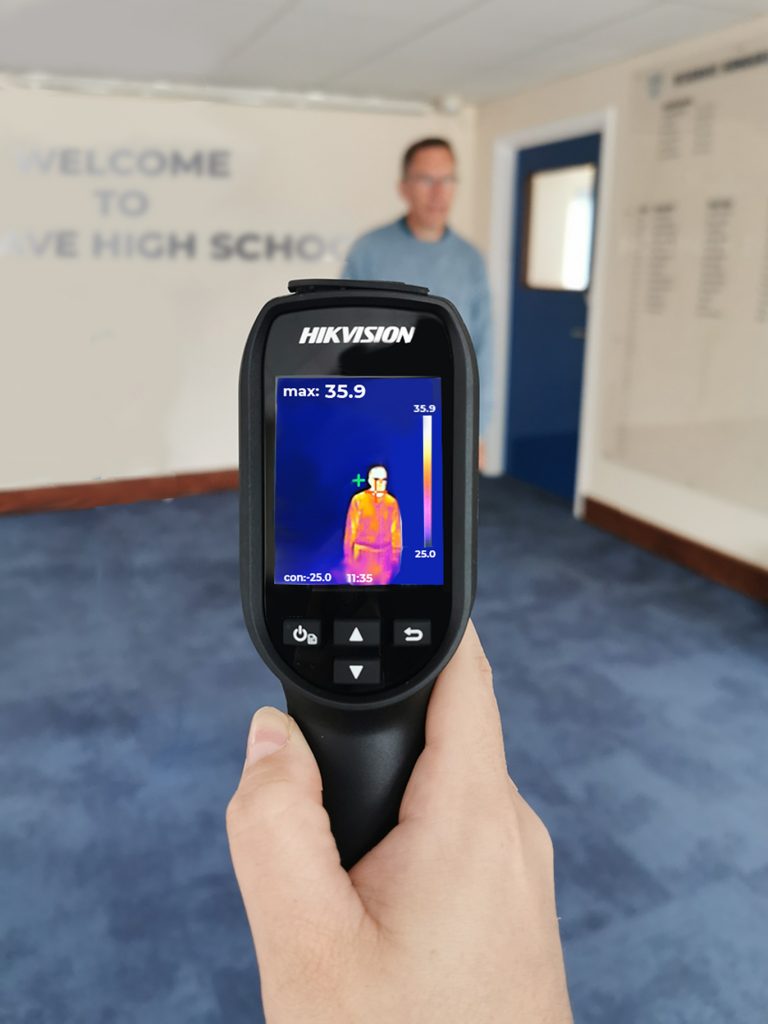
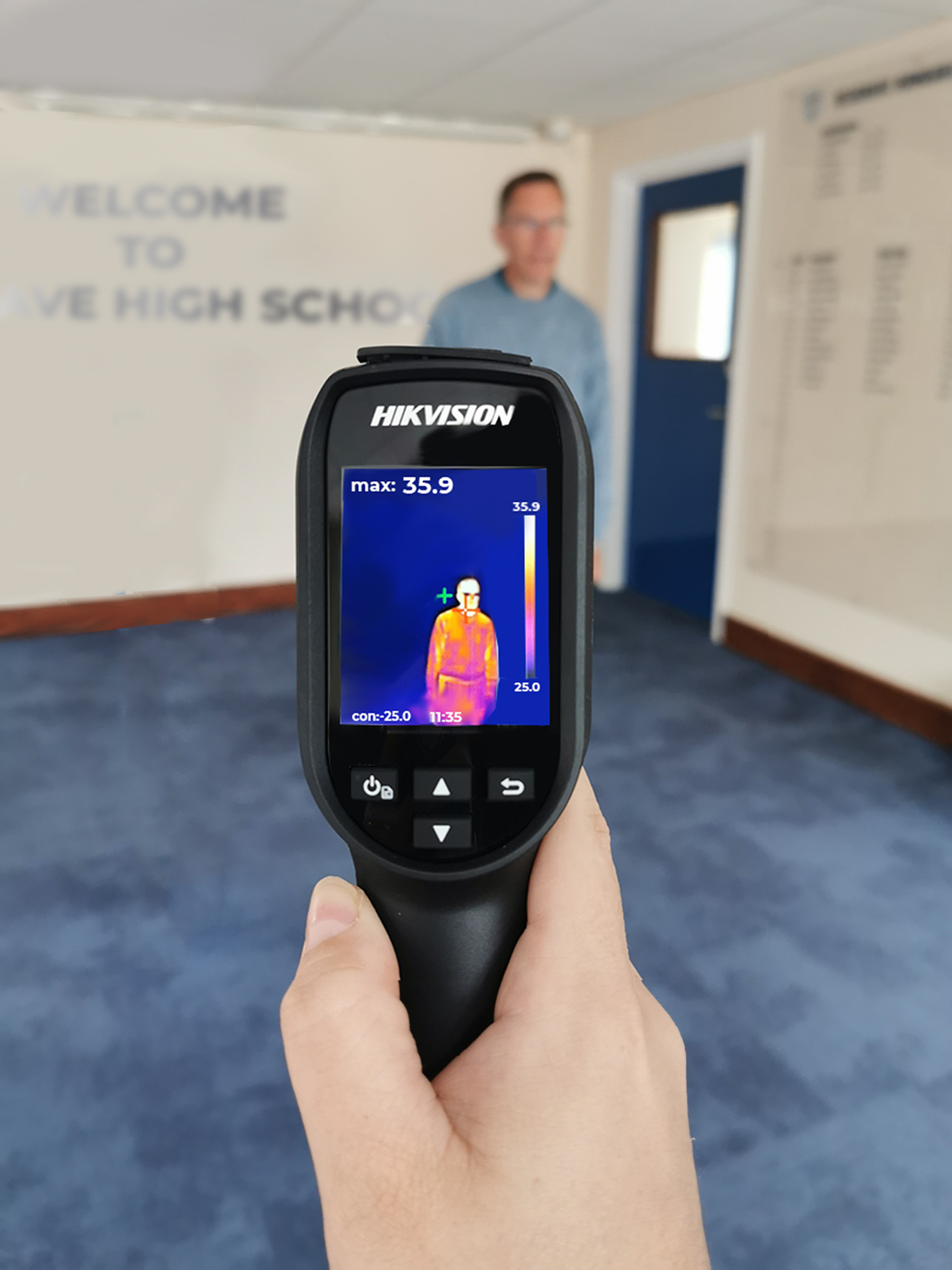
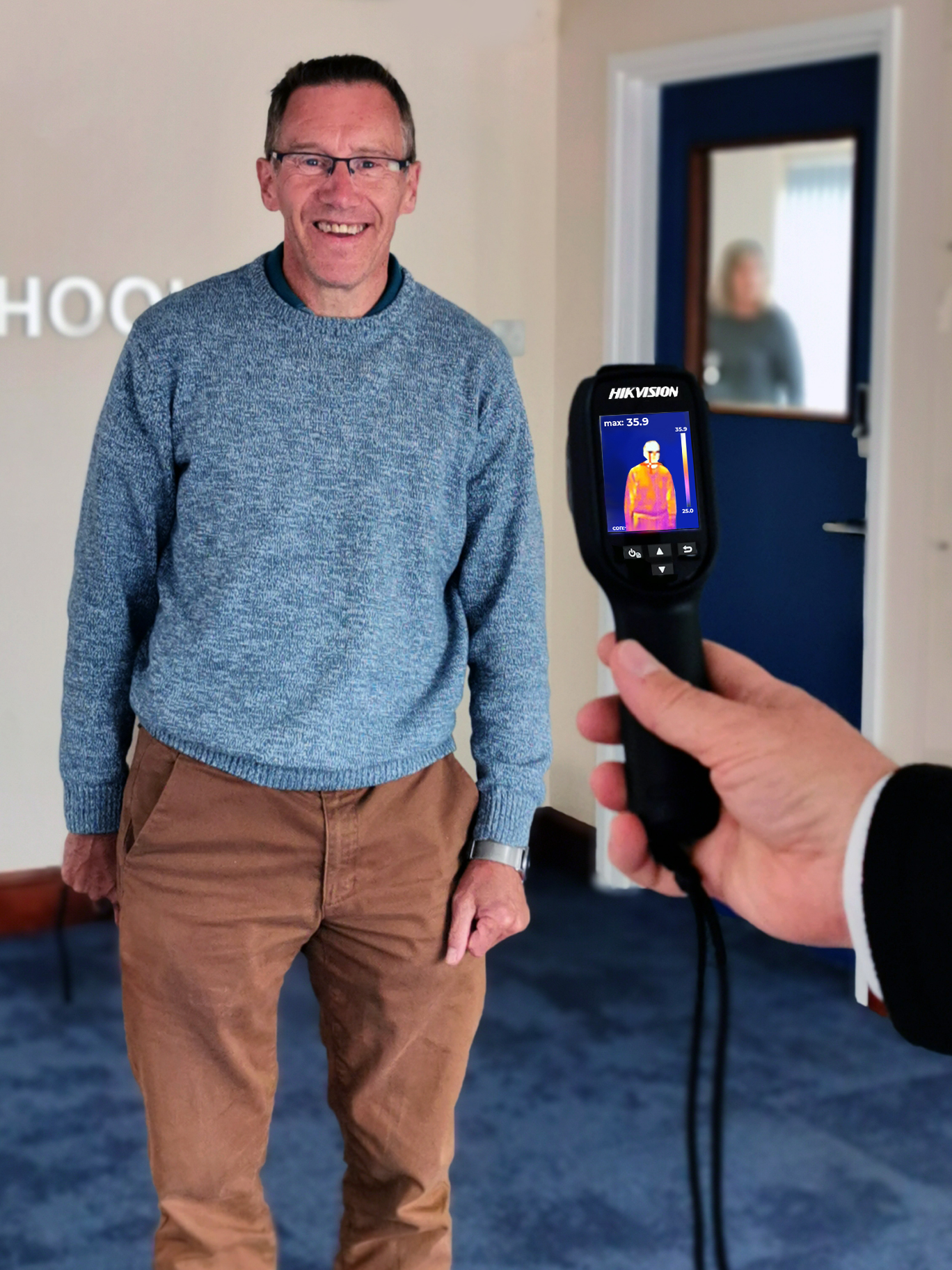
Schools across the UK are taking steps towards creating an environment that ensures the health and safety of students, staff, and visitors with the use of Temperature Screening Thermal Cameras.

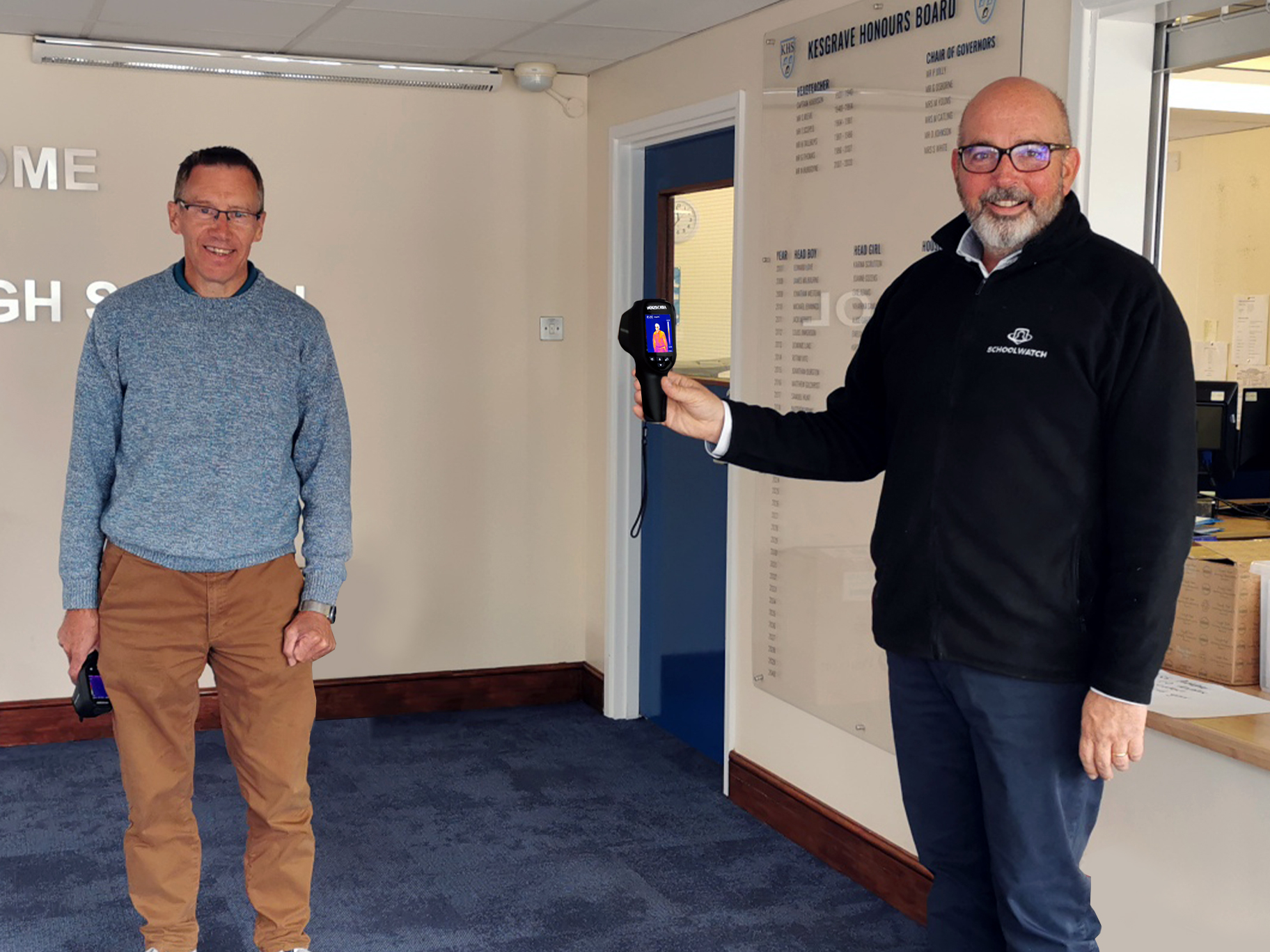
Schoolwatch® provided their Thermal Cameras to Kesgrave High School. They are pleased to have an additional tool in place that can help to detect an elevated temperature while keeping to social distancing practices and offering reassurance to parents.

Before delivery, the cameras were thoroughly tested, calibrated, set-up, and charged ready for use. Andrew Jenkins, Managing Director at Schoolwatch®, delivered these in person and provided full training along with a testing session to ensure accurate monitoring.

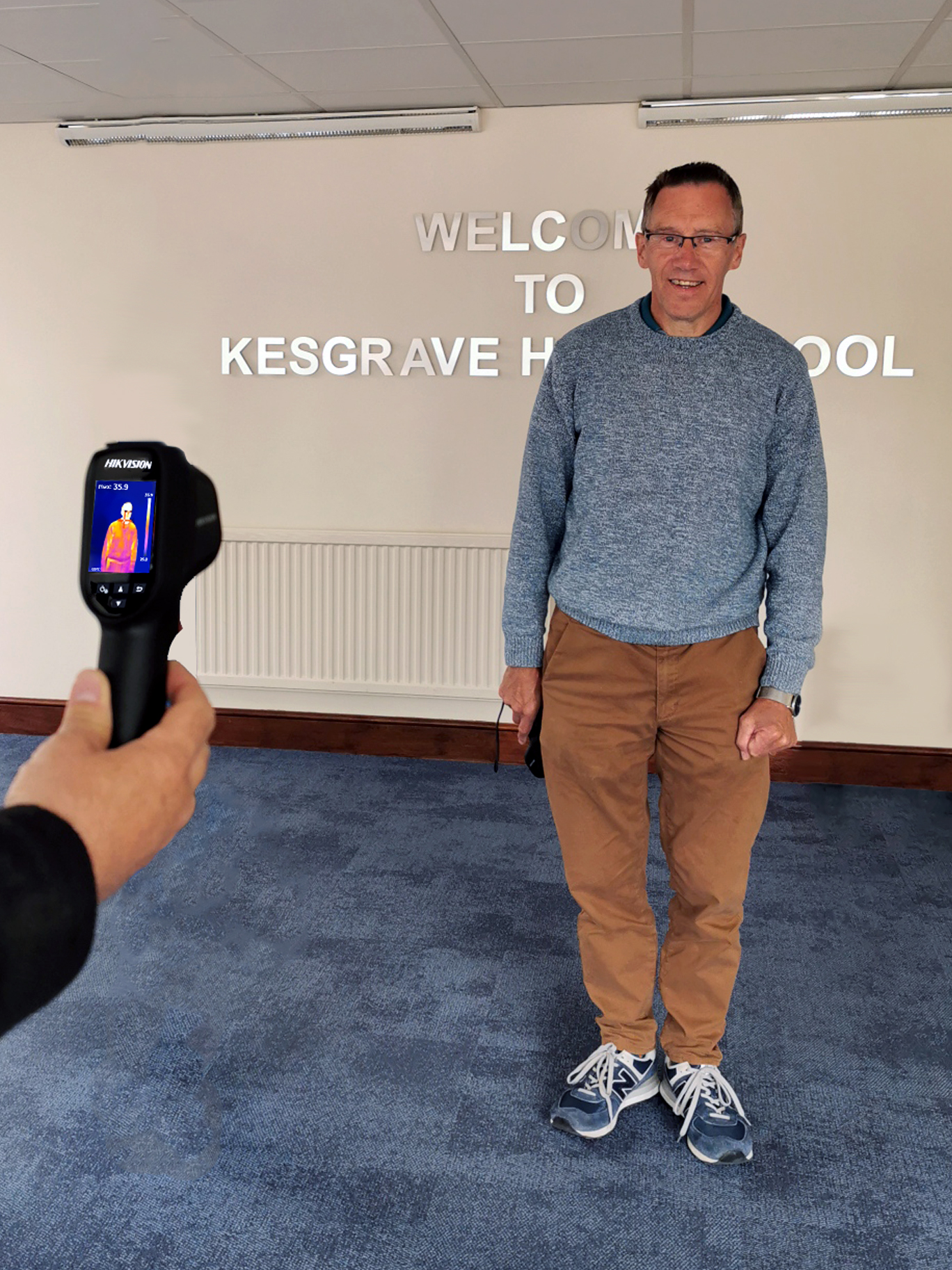
Kesgrave School opted for the handheld version of the cameras due to their portable and non-intrusive nature. The primary use case is to screen students arriving in the morning, as well as in reception and with the medical team.

These portable cameras are handheld or mounted on a tripod in various locations as required and make them a popular choice for schools with multiple access points and multiple uses for the cameras.

Areas of use include:

  • Staff and Student arrival
  • Visitors
  • Medical Room
  •  Receptions and sign-in areas
  • Spot checks

Nigel Burgoyne, Head Teacher at Kesgrave High School, describes the cameras as:

‘Another helpful tool to give a bit more information which alerts people to a high temperature and possible symptoms of a virus. The handheld is flexible, really straightforward to use and very effective’.

To find out more about our Temperature Screening Cameras, choose one of the below options:

Flexible Alerting for ANY Situation

Our Digital Alerts System can be used for much more than just Lockdown.

Schoolwatch Digital Alerts is a multi-purpose mass notification solution designed to keep everyone informed on day-to-day announcements – and calm, safe, and in-the-know should an emergency strike.

Any information that you need to get to a lot of people fast, our Digital Alerts System can do it.

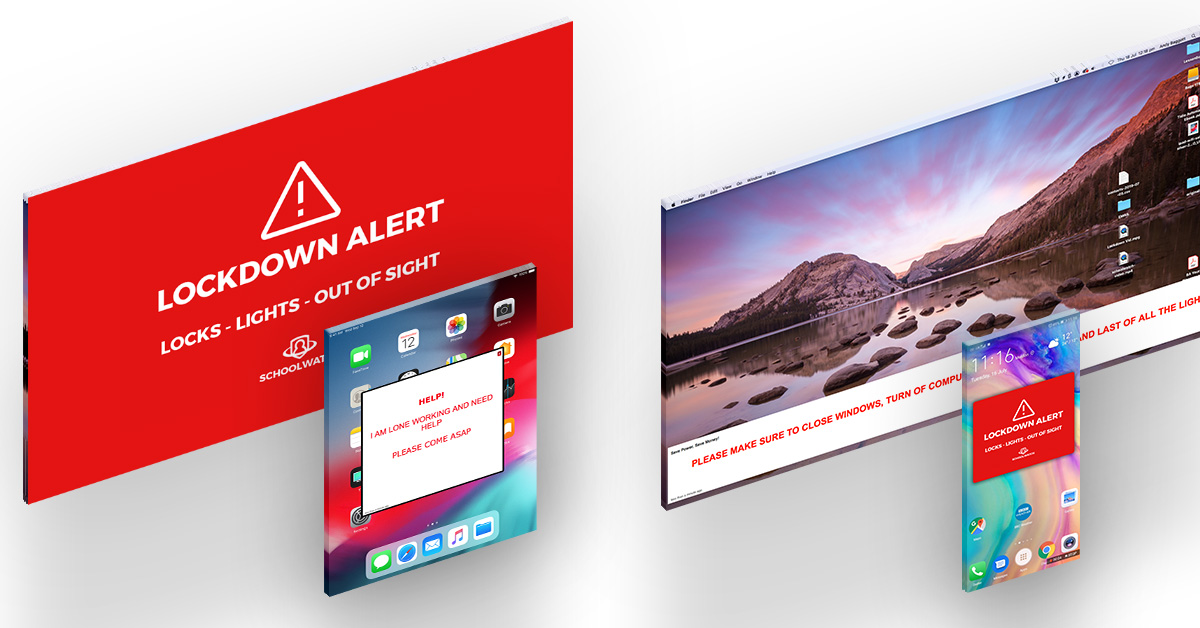
Users can create alerts for any situation and have it delivered in a number of different ways to all kinds of devices. Customise your alerts from the control panel and save them as templates or scenarios to use at the click of a button.

Trigger – Deliver – Communicate

Contact us to arrange your free demonstration today.

Powerful during emergencies. Useful every day.

In response to the serious school incidents over recent years, concerns for staff and pupil welfare – and the demand for safer, tighter school security procedures – are growing daily.

Deployed throughout many international schools, Schoolwatch™ Digital Alerts is a multi-purpose mass notification solution designed to keep everyone informed on day-to-day announcements – and calm, safe, and in-the-know should an emergency strike.


TRIGGER…

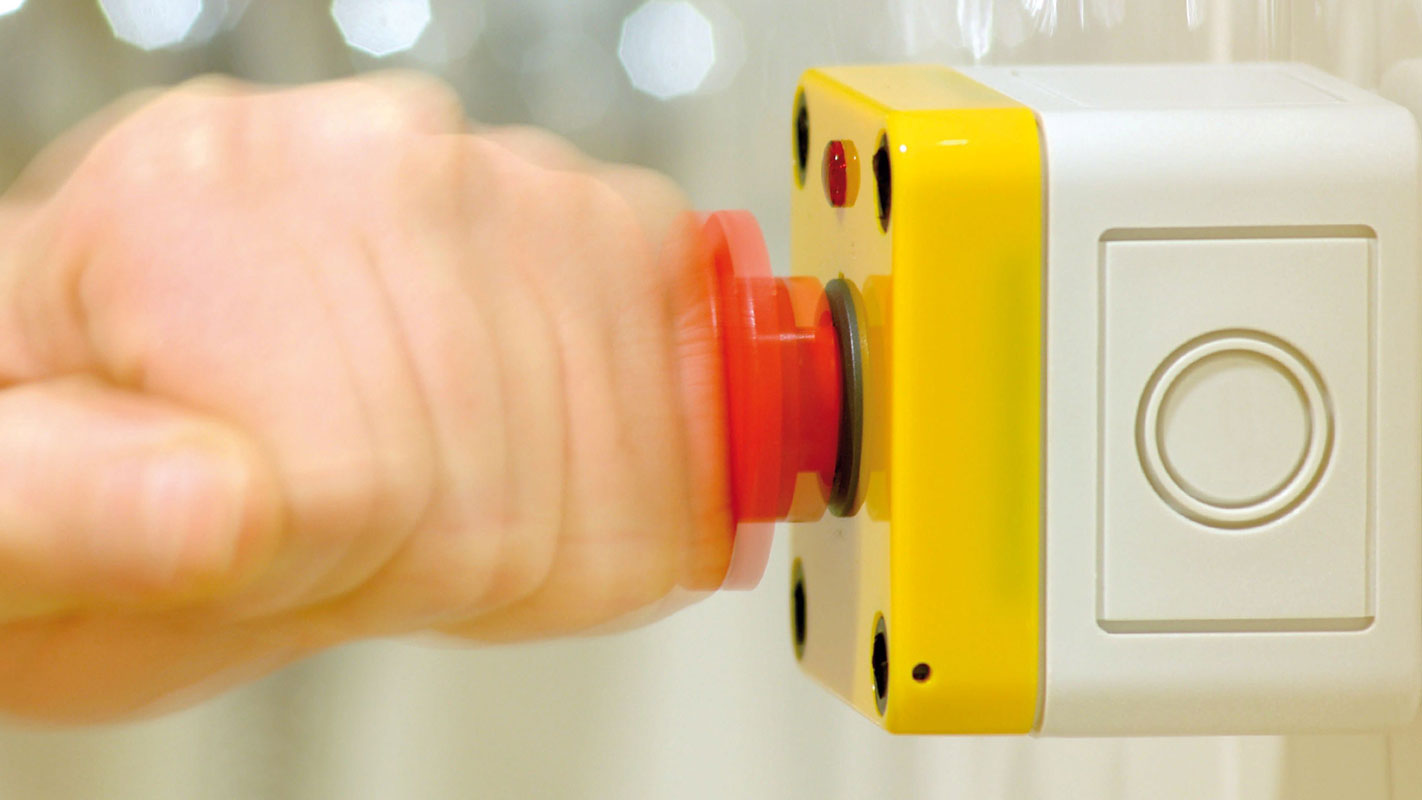
emergency alerts (or streamed music and daily announcements) from anywhere via the mobile app, desktop computers, or panic buttons in seconds.


DELIVER…

audio alerts via a distinctive sound or recorded message to every speaker, and digital alerts to PCs, Macs, mobile devices, and emails across the whole school.


COMMUNICATE…

directly with users via the real-time administrator dashboard to check alert delivery and their ongoing safety status (reported via the app or email).


Whether you already have a safety policy and are just looking for an alert system, or need a complete security solution, the team and I are on hand to help. Please let me know if you would like more information, or would like to book a free demo.

Andrew Jenkins | Managing Director

T:   0845 519 3990
E:   info@schoolwatch.co.uk
W:  schoolwatch.co.uk

Digital Lockdown Alerts

Digital Alerting System in the event of a School Lockdown

Schoolwatch is at the forefront of providing Lockdown Systems and advice to Schools and Colleges across the UK. To complement our range of IP Speakers, we are introducing an award-winning Digital Alerting solution. This unique proposition is the first of its kind in the UK.

A Digital Alert System is designed to notify large groups of people about an active or potential lockdown situation. With the click of a button from a desktop or mobile app, notifications can be sent to mobile/tablet devices, classroom computers/projectors and email addresses, as well as the audible speakers. In addition, the App provides two-way communication, allowing users to respond and update each other on their status and safety.

By integrating digital alerts with our existing IP Speakers we can actually reduce the cost of a Lockdown System against that of a purely speaker based system.

This is because we can reduce the number of speakers required internally because of the digital alerts coverage.

We are currently offering a FREE Lockdown Survey during which we can discuss your needs and introduce our solution.

Click here to book yours, or to request further information.

FREE Lockdown survey

In an ever-changing world, schools need to make sure that they have a system and procedures in place in the event of a lockdown. And that all staff and pupils are aware of the procedures and what is expected of them.

Schoolwatch offers a free and comprehensive survey to schools and colleges looking to review their procedures and systems.

Traditional announcement systems used to require new infrastructure to be installed, which made the whole deployment expensive. But the Schoolwatch Lockdown System is IP based and uses the existing network infrastructure to get the new system set up. Because a school will only need new infrastructure installed where there is no pre-existing network cabling available, the overall capital cost is greatly reduced.

All components of the Schoolwatch Lockdown System are powered using Power over Ethernet (PoE), further simplifying installation and reducing overall cost and with the ability to integrate with existing legacy systems if required.

A typical installation would see speakers installed in key areas such as hallways, classrooms, sports halls, and outdoor spaces. But if this all seems a bit alarming, the good news is the system can be configured not only for safety and security but also for everyday alerts such as class change and public address.

The Schoolwatch public address network is controlled via a central control panel and all components communicate back to this. Other devices such as alert strobe lights, break glass units and panic buttons can be connected to the control panel, if required.

Schoolwatch can advise on, design and supply state-of-the-art lockdown systems, which have multi-functional use and can be used for:

  • Lockdown Alarm
  • Class Change
  • Public Address
  • Perimeter Security
  • Music Streaming

Call 0845 519 3990 or visit www.schoolwatch.co.uk for more information

School Lockdown System

School Lockdown and Digital Alert Systems

There have been several incidents in recent weeks of schools having to initiate their School Lockdown System Procedures due to trespassers or threats to safety.

The latest reported incident happened at Ysgol Nantgwyn in Wales and was initiated due to a threat towards staff from a pupil.

The pupil in question was not on site at the time, but the school went into lockdown as a precaution.

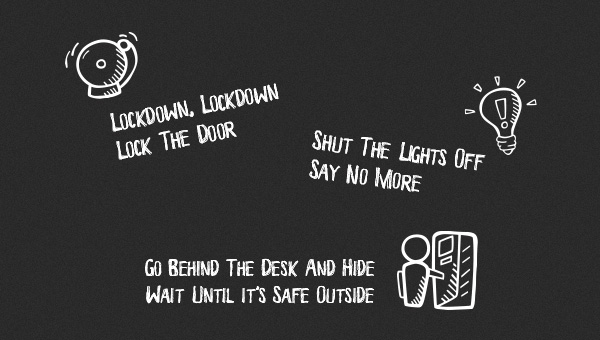
Once the lockdown was called, doors were secured, blinds drawn and lights were turned out, and pupils were instructed to hide under their desks. This is absolutely the correct procedure in a lockdown situation, and according to reports, the school and staff handled the incident swiftly and efficiently.

Schools need to make sure that they have a system and procedures in place in the event of a lockdown. And that all staff and pupils are aware of the procedures and what is expected of them.

Schoolwatch can advise, design and supply state-of-the-art lockdown systems, which have multi-functional use and can be used for:

  • Public Address
  • Class Change
  • Lockdown Alarm
  • Perimeter Security
  • Music Streaming

Whole school notifications with just one click!

Can your lockdown solution deliver clear and distinctive alerts to all members of your school community at the same time?

With the click of a button from a desktop or mobile app, notifications can be sent to classroom PCs and Macs, mobile devices, interactive projectors and email addresses, as well as the audible speakers.

We are offering a free online or face-to-face demo where we can discuss your needs and introduce our solution.

Complete the form below to book yours, or to request further information

Top of the class

We are thrilled to be working with Burnt Mill Academy on their extensive CCTV upgrade, and look forward to supporting them in the future.

Burnt Mill Academy is one of several new projects we are currently installing.

Recently completed:

Luton Sixth Form College
Lutterworth College
Beechwood Park School
Richmond Adult Community College
Orleans Park School

Not just schools.

Through our commercial arm, Sitewatch, we are also proud to announce that we have been working with Esher Rugby Football Club to make their grounds safe and secure for spectators, players, officials and visitors.

Installation of a new state-of-the-art HD CCTV system is now complete.

Call 0845 519 3990 or visit www.schoolwatch.co.uk for more information

Love it or hate it… it’s here to stay.

Some welcome the use of CCTV, some see it as a necessary evil and others see it as a sinister side of a surveillance society that shouldn’t be part of a school ecosystem.

CCTV is well established in society and part and parcel of the way we live so why should schools be any different? Should we be outraged that schools chose to use CCTV if they see fit?

Taking a balanced and reasoned approach to the use of surveillance CCTV in schools is important and we need to consider its proportional deployment and use.

Schools are full of vulnerable people who need to be protected and some schools do this without the use of cameras. Arguably though these schools are more vulnerable without CCTV as a wide range of incidents (bullying, theft, trespassers, arson) can be easily missed and go unrecorded.

Cost is a major issue as schools need to budget for the installation, maintenance and monitoring of cameras but many schools justify the expense and demonstrate a clear need for school surveillance cameras based on safety concerns.

In England, Scotland and Wales around nine out of ten secondary schools use CCTV cameras to keep a closer eye on their students and these have been integrated into safety and security policies.Those without CCTV are definitely in the minority.

CCTV is frequently used in key areas such as the school gates, access points, the playground, corridors, cloakrooms and the perimeter of the school in order to protect children, staff, the school and its belongings. This allows schools to monitor negative behaviours and to monitor who is accessing the grounds and so act quickly if an intruder is detected.

Schools that are using CCTV will tell you that they have done their homework and thoroughly researched data protection, GDPR, child protection and privacy laws relating to surveillance equipment and implemented watertight policies with full risk assessments relating to the use of the equipment.

It can be daunting but if your school is thinking about installing CCTV then there is plenty of guidance available to help.

Schoolwatch are experts in School CCTV with 27 years of experience.

Whether you know what you want, need initial advice or have no idea where to start we can help.

Video Redaction Software Overview

Is video redaction too expensive and time consuming for schools to do?

After a recent question regarding video redaction (blurring faces etc) and GDPR, we decided to take a look into the different options that are available to schools, and ask that very question.

This article is not a review or endorsement of any of the software mentioned within (we shall be doing a test drive and review of the most popular options at a later date), we just want to show what options are available to schools.


Wondershare Filmora

Filmora is a simple video editing piece of software that also supports face blurring.

It features a face-off function which automatically tracks the position and rotation of the face in your picture or video, which lets you blur out faces with minimal effort.


Filmora has a free trial version and paid options (approx US$45 – $105 at time of writing, depending on features), they also have educational discounts.


YouTube

Yes, you read that correctly, you can use YouTube to blur faces in your videos using their built-in tools.

There is an automatic ‘Blur Faces’ option and a manual ‘Custom Blurring’ option which both work very well.

Here is a good video tutorial showing this in action:


YouTube is a great free option but obviously there will be privacy concerns, so you need to make sure that your videos are set to private.

“Private videos and playlists can only be seen by you and the users you choose. Your private videos won’t appear to others who visit the ‘Videos’ tab of your channel page and won’t show up in YouTube’s search results. You can share a private video with other users over email.

Comments are not available on private videos. If you want to allow comments on a video that’s not publicly available, change the privacy setting to unlisted.”


VSDC Free Video Editor

VSDC is a free editor that allows you to edit video files and create videos of all types. It supports the most popular video/audio formats and codecs, including DVD, HD and GoPro videos.

The video editor offers a number of versatile features both for home and business use: text and audio overlay, an array of charts and diagrams as well as a slideshow maker.

Here is a tutorial video showing how to blur a face:


Adobe After Effects

This industry leading video editing software may be out of the reach for most people (both in terms of cost and also the technical skills required to use it), but if your school already has a copy and you know how to use it, Adobe After Effects is by far the most powerful piece of software on this list.

Adobe After Effects is part of Adobe Creative Cloud, which includes all Adobe apps for £16.50 per month (Teacher/Student price).


In conclusion

These are just a few examples of the many pieces of software on the market that can be used to blur faces, license plates etc. And as you can see, cost and technical ability to use can vary immensely, from feature-film standard editing to free online tools.

It is about finding what is appropriate for your schools budget and time-constraints. All of the above are either free or offer free trials, so there is no cost involved in finding the right solution for your school.